 ORIJINS Padel
It answers players
Prices, hours, availability, racket rental, parking. In English, Arabic or French, from your club’s own information.
“A court tomorrow evening?”Answered
“How much for 90 minutes?”Answered
“I want a refund”Handed to the team
ORIJINS answers your players on WhatsApp, all day long: bookings, confirmations, slots to fill. At our pilot club, 8 requests in 10 are handled without the team.
20 minutes, at your club. Then a one-week test before you decide.
Your clubonline
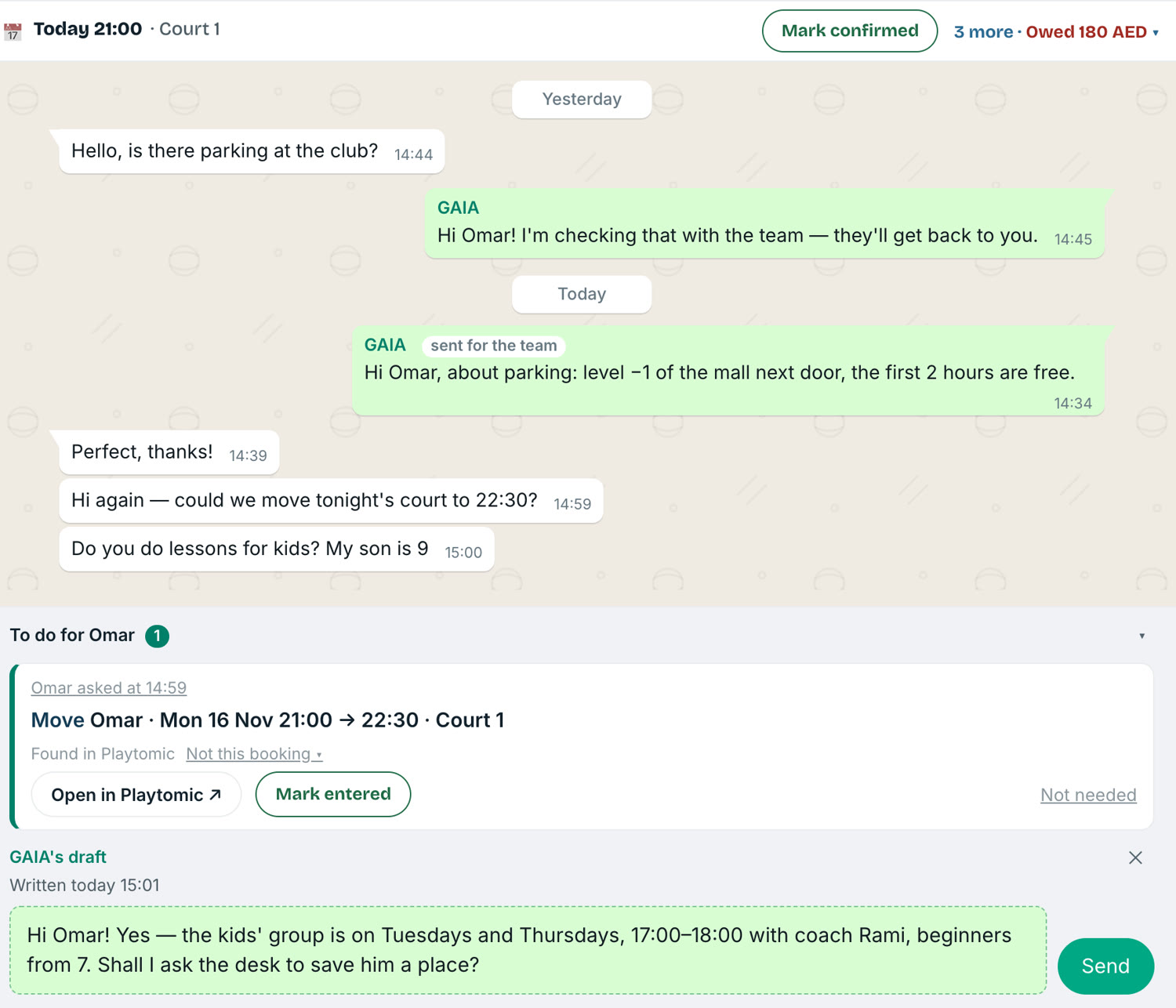
What the player sees, on WhatsApp.
Four moments every manager knows. And what the assistant does about them.

What the front desk types by hand, and what the assistant does in its place.
of confirmation requests still unanswered after 24 hours
3,298 requests typed by hand by the front desk, then 1,032 follow-ups.or less, for one reply in two to be ready
Across 534 player messages.requests handled without involving the team
The other 2 need a person: move a booking, refund.Pilot club in Dubai, August – October 2026. Anonymised data. Your numbers are measured at your club, during the test week.
No sound, captioned. Real interface, demo data.
Level 1 answers your players. Level 2 shows you every reply. Level 3 shows you the whole club. Each level includes the one before.
Five jobs your front desk does by hand today.
Prices, hours, availability, racket rental, parking. In English, Arabic or French, from your club’s own information.
Every booking gets its confirmation request, then its follow-up. You see at a glance who is coming tomorrow.
A court free on Thursday at 3 pm? It prepares the message for your Thursday players. You approve before it is sent.
Refund, dispute, unusual request: it passes it to the right person, with a summary of the conversation.
Today’s schedule, reminders, free slots: each coach gets what concerns them.
One assistant per club, trained on yours. By default it is called GAIA; you can change its name.
A rule in one sentence. It says it back, then applies it.
Stop offering court 4 before 5 pm, it is in full sun.
Noted. Before 5 pm, I will offer courts 1, 2, 3 and 5.
You tick “remember”: it takes it into account for the next ones.
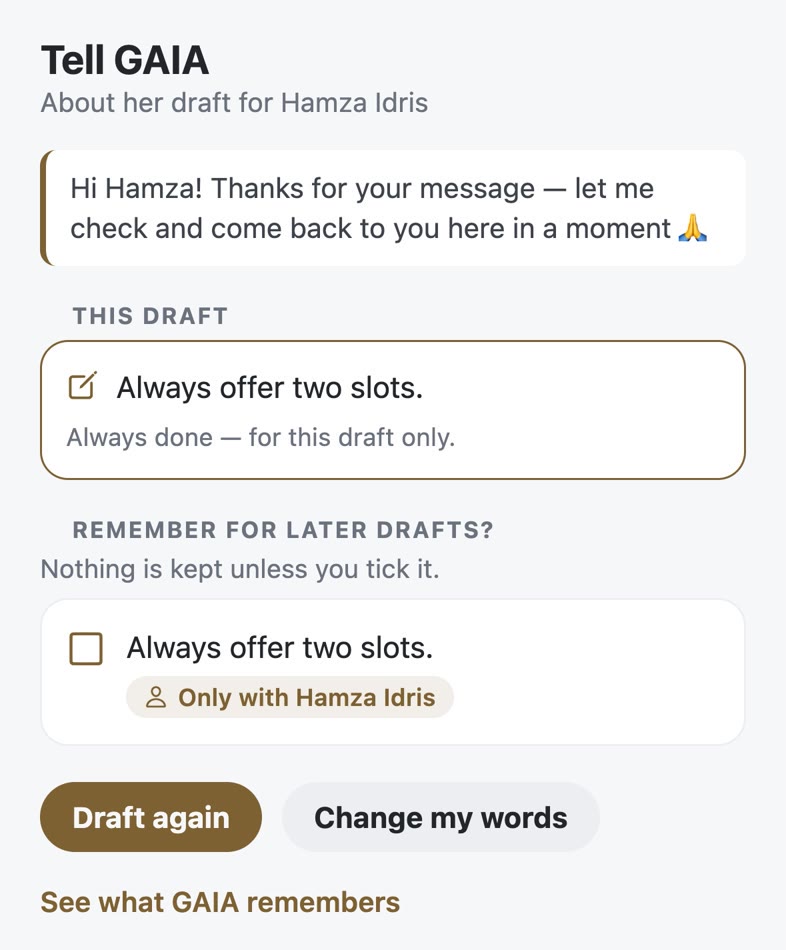
All its rules on one page. You add some, you remove some.
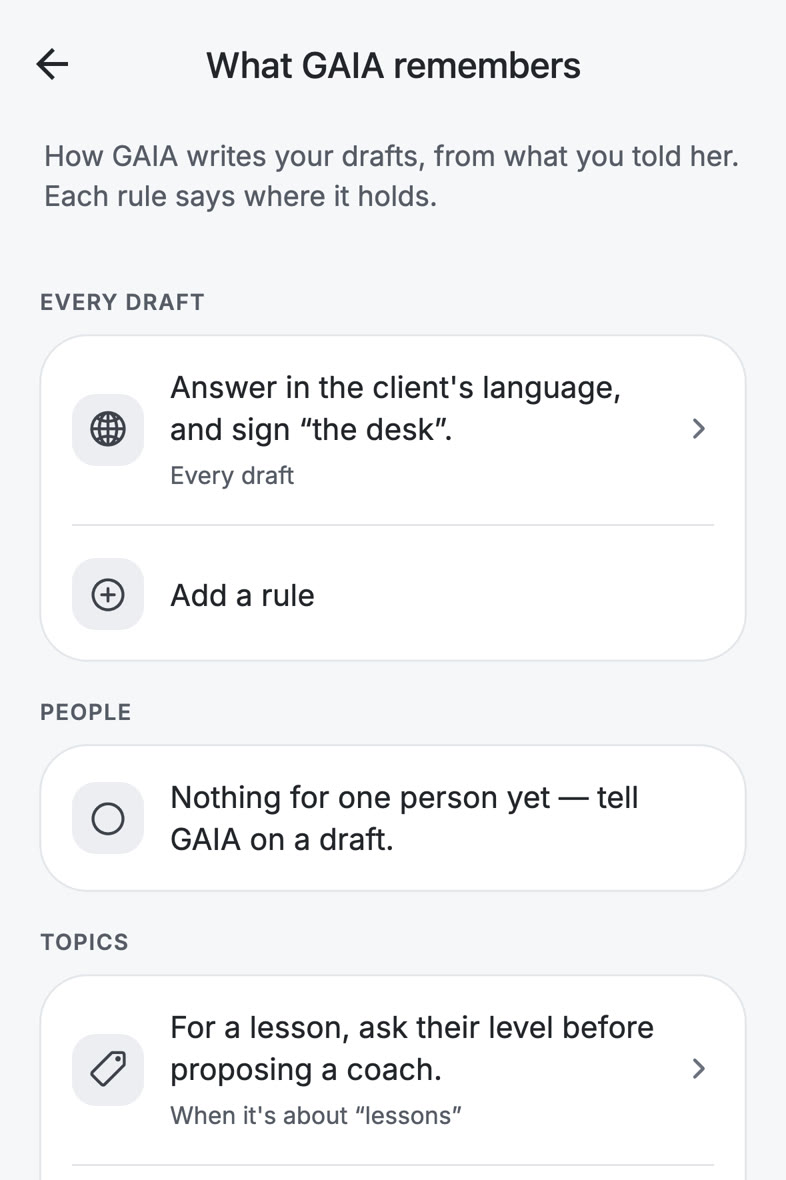
Screenshots of the app, with sample data.
Level 1 · On WhatsApp
Your clubonline
Level 2 · The app
Away from the desk, you see everything: what it has answered, and what is waiting for your approval.
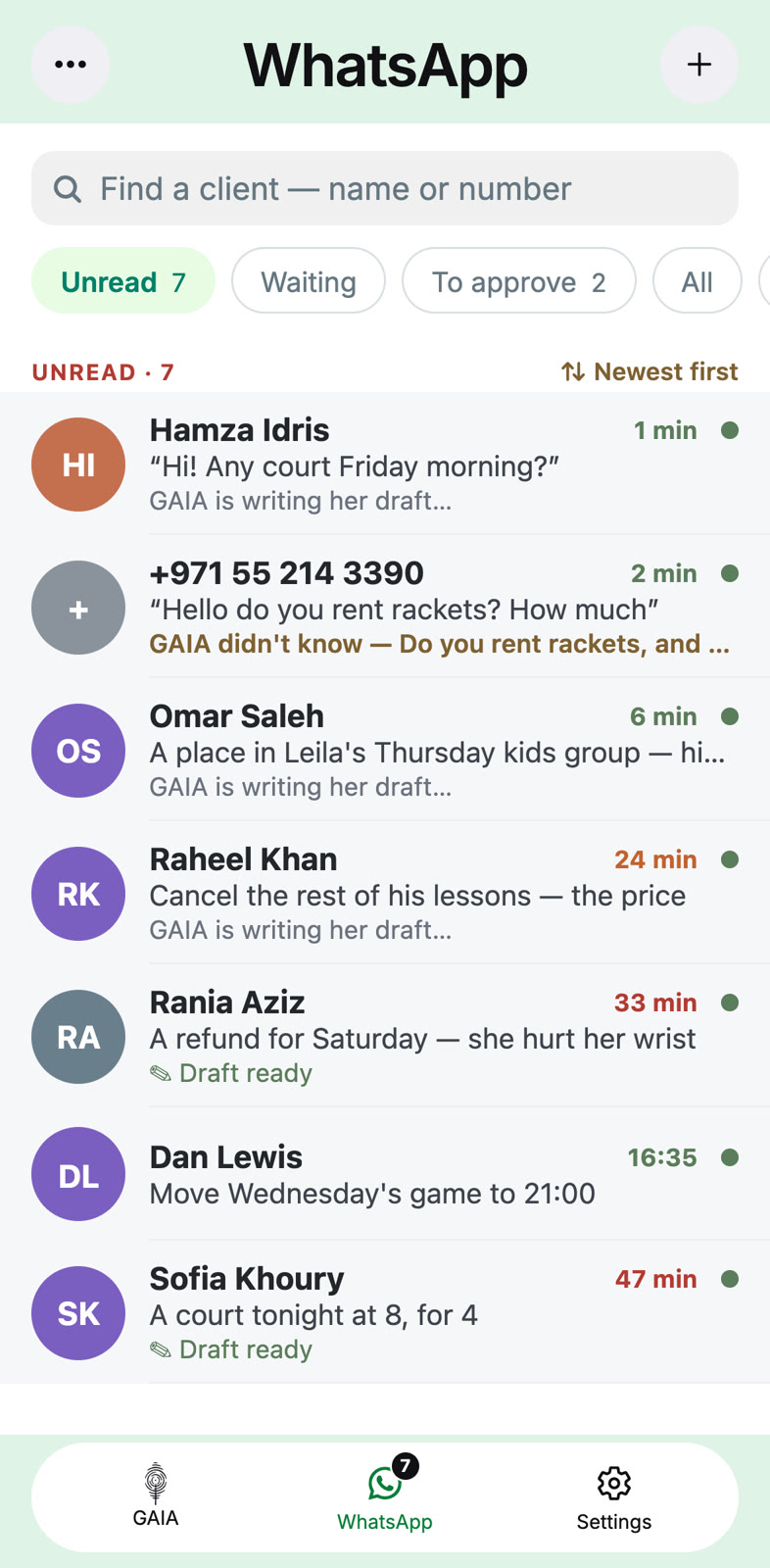
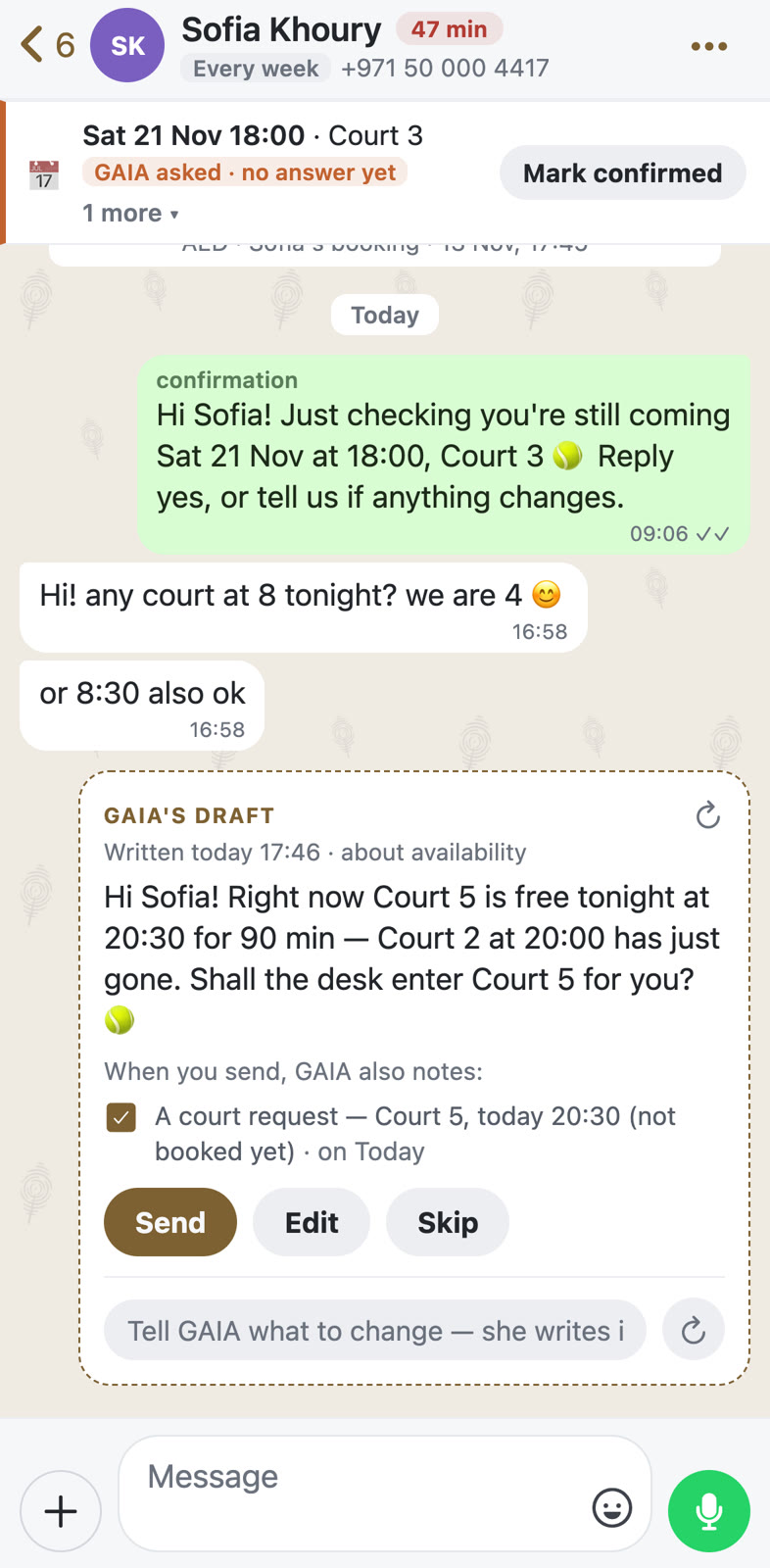
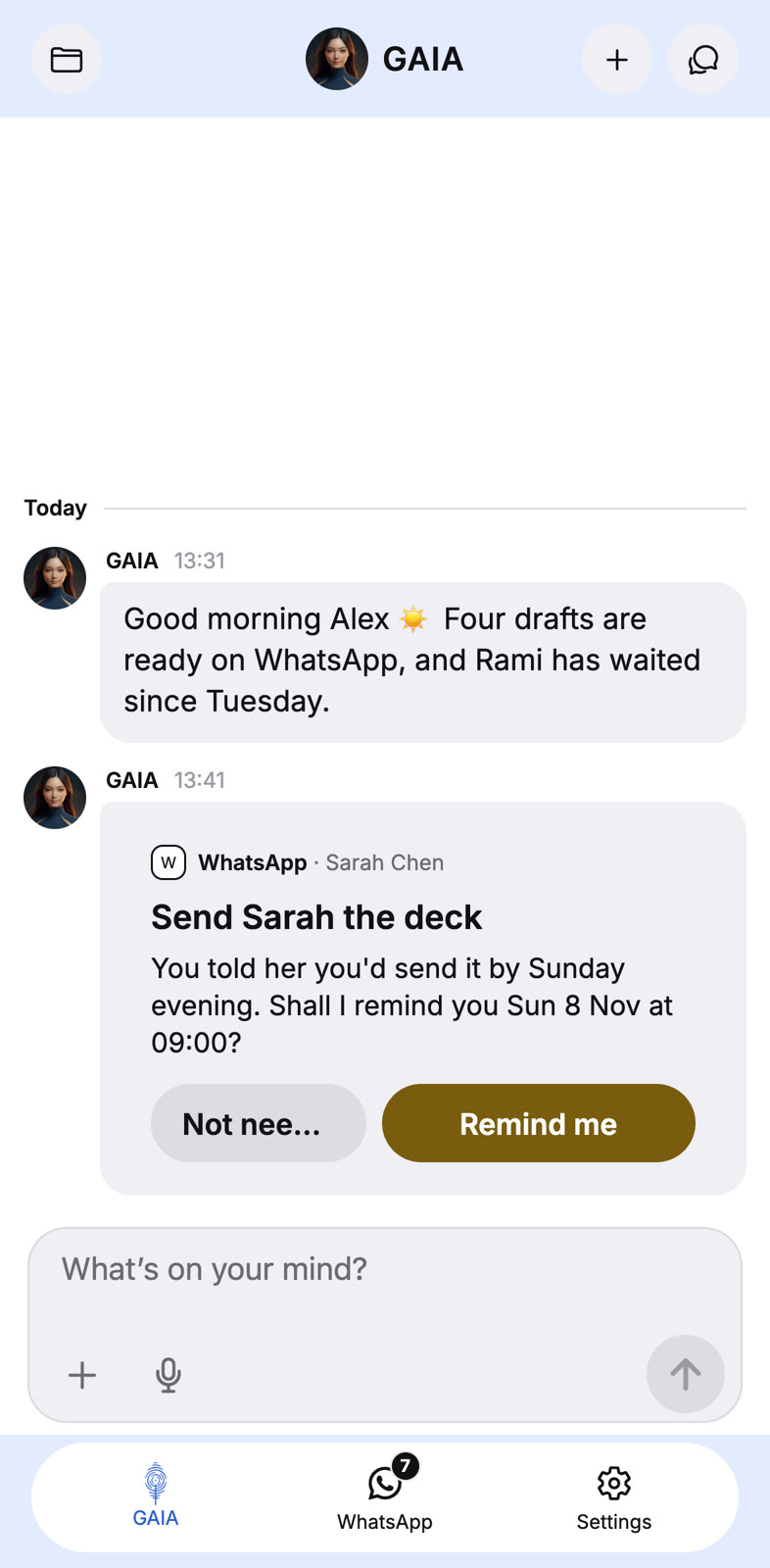
Screenshots of the app, with sample data.
Level 3 · The club interface
Who is waiting, who is coming tomorrow, which courts are free: it is all on screen.
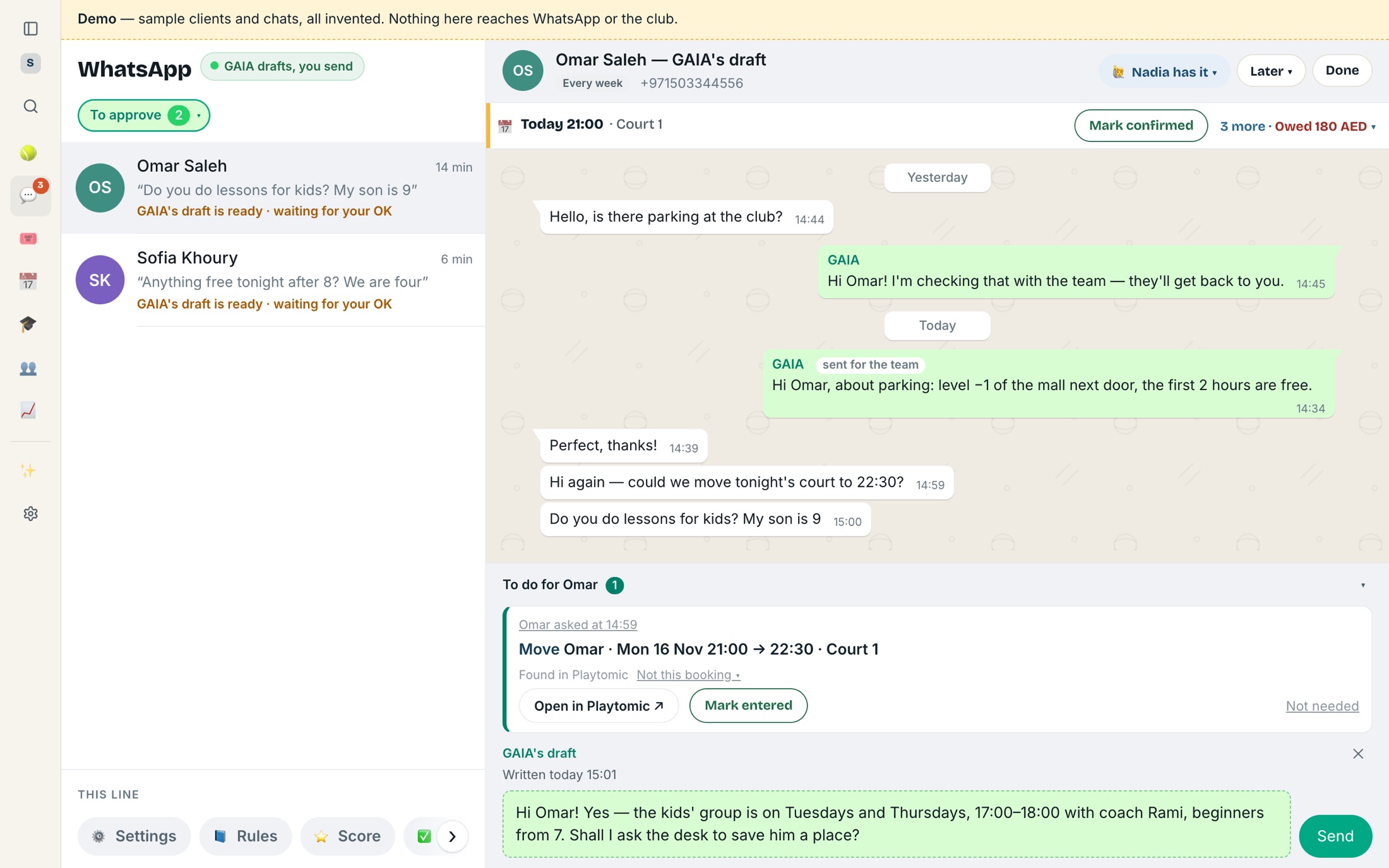
Screenshots of our interface, with demo data.
Nothing is sent to your players until you have seen, at your club, what it answers.
One contact in Dubai, reachable on WhatsApp.
Demo, connections and training all happen on site.
One video per task, for the front desk and for the coaches.
Every week for the first month, then every month.
Nothing changes for your players.
One message is enough to pause it.
Exportable. Never resold, never shared with another club.
In writing, before you sign.
Are you a coach?There is a version for you, on your own WhatsApp.
See the coach sideNo. The assistant connects to the tool you already have. Playtomic is ready; for another tool, we look at it with you before you commit.
Yes. The assistant answers on the number your players know, and your team keeps writing in the conversations.
Only what you have allowed. During the test, it sends nothing. After that you open up, one type of message at a time.
You correct it: it remembers, and does not repeat the mistake. A refund, an exception, a dispute: it always hands over to a person.
About two hours in total: the demo, ten minutes a day during the test, then a 45-minute training.
Yes. Each coach gets their schedule and reminders, and you decide what each person sees: a coach has no access to the club’s revenue.
Two ways, your choice. Link the current number as a companion device, the way WhatsApp Web does: it is quick, but this mode is unofficial: WhatsApp can restrict a number that uses it. Or go through WhatsApp Business Platform, Meta’s official route.
The assistant is disconnected the same day. Your number and your conversations stay as they were, and we hand you the export of your rules.
Twenty minutes, at your club, on your real questions.
Your club’s name and how to reach you: thirty seconds.
Ask for a demo Or write to gaia@orijins.com.