An unanswered message is
a lesson lost.

One app: GAIA and your WhatsApp. Your replies are ready all day; you send them between two lessons.
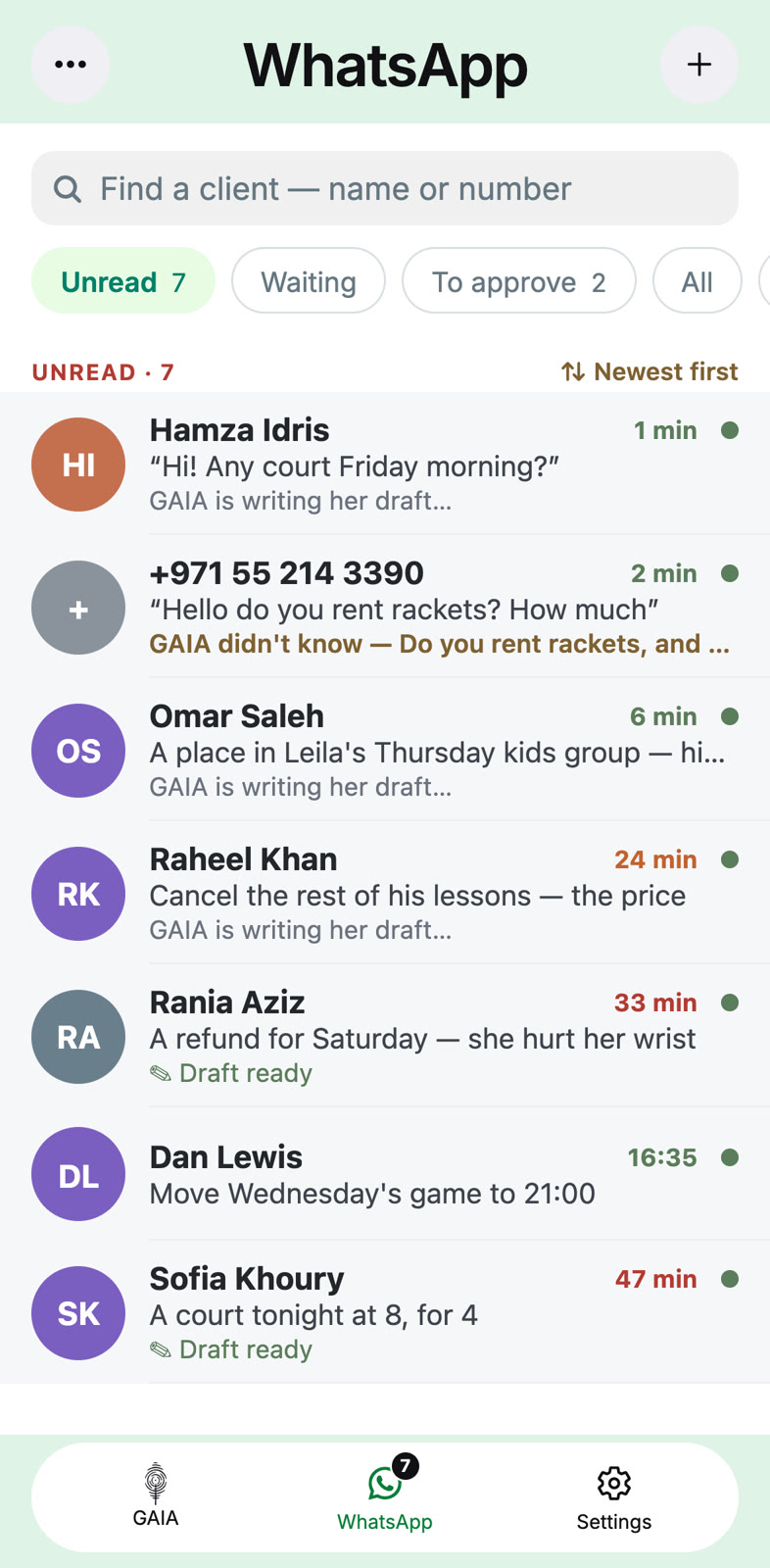
The app’s WhatsApp tab: seven unread conversations, each showing where its reply stands.
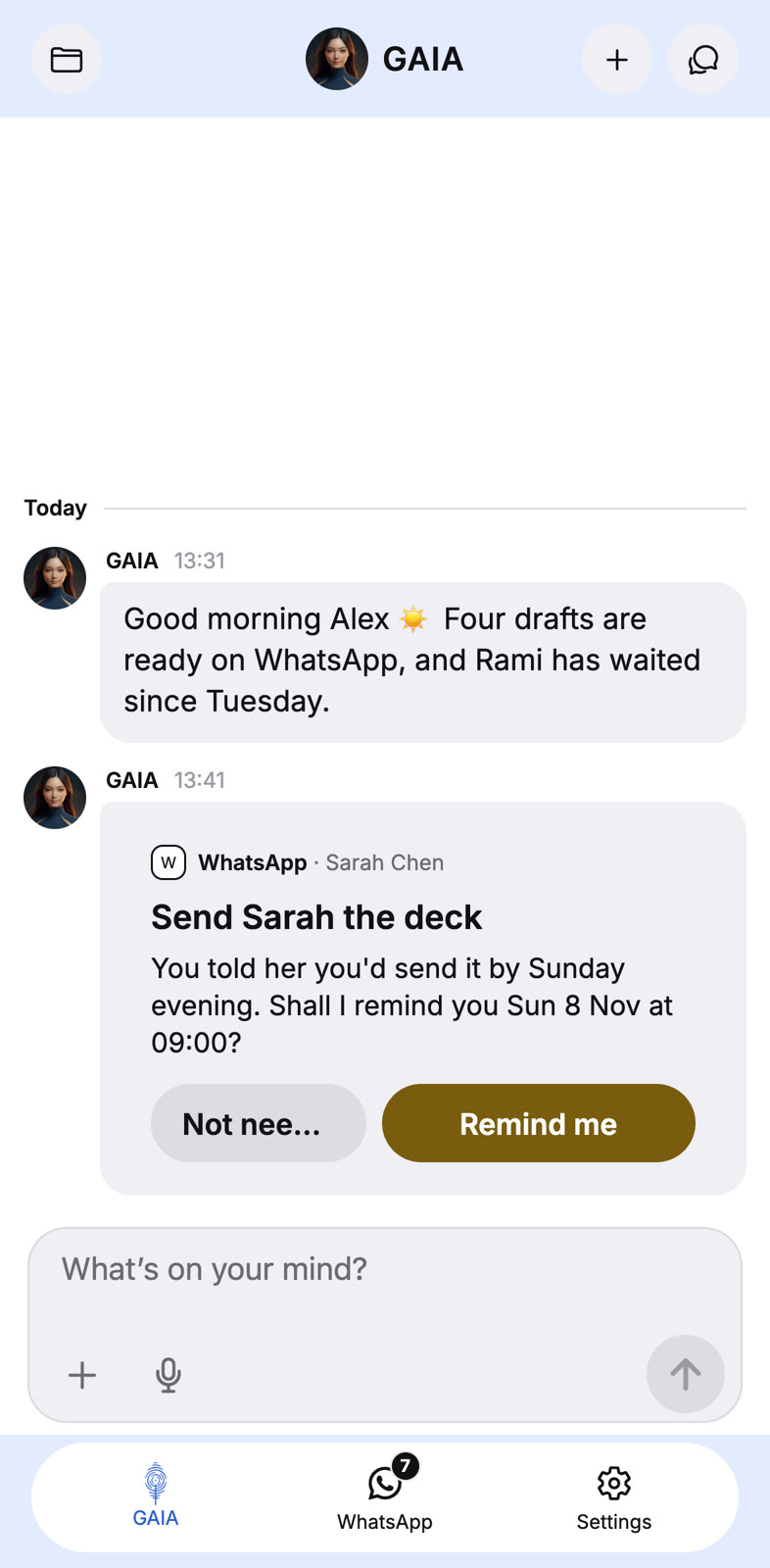
The GAIA tab: it announces four drafts ready and offers a reminder.

The WhatsApp tab: who is waiting, and where each reply stands.

While you are teaching, your students are waiting.

Three moments every coach knows. And what the assistant does about them.

2 pm, between two lessons
Seven unread messages as you walk off court.A ten-minute break, seven replies to write.
All seven replies are already written. You read, you send.
8 pm, after the last lesson
“How much for ten sessions?”You answer tomorrow. He has asked another coach.
The reply is ready. The price is yours to approve.
The next day
He wanted a lesson.His request sat under twenty conversations.
You see who is waiting for an answer, and for how long.

One app, two tabs: GAIA and your WhatsApp.

On your own number. Nothing else to learn.
The app’s WhatsApp tab: seven unread conversations, each showing where its reply stands.
WhatsAppWho is waiting, and where each reply stands.
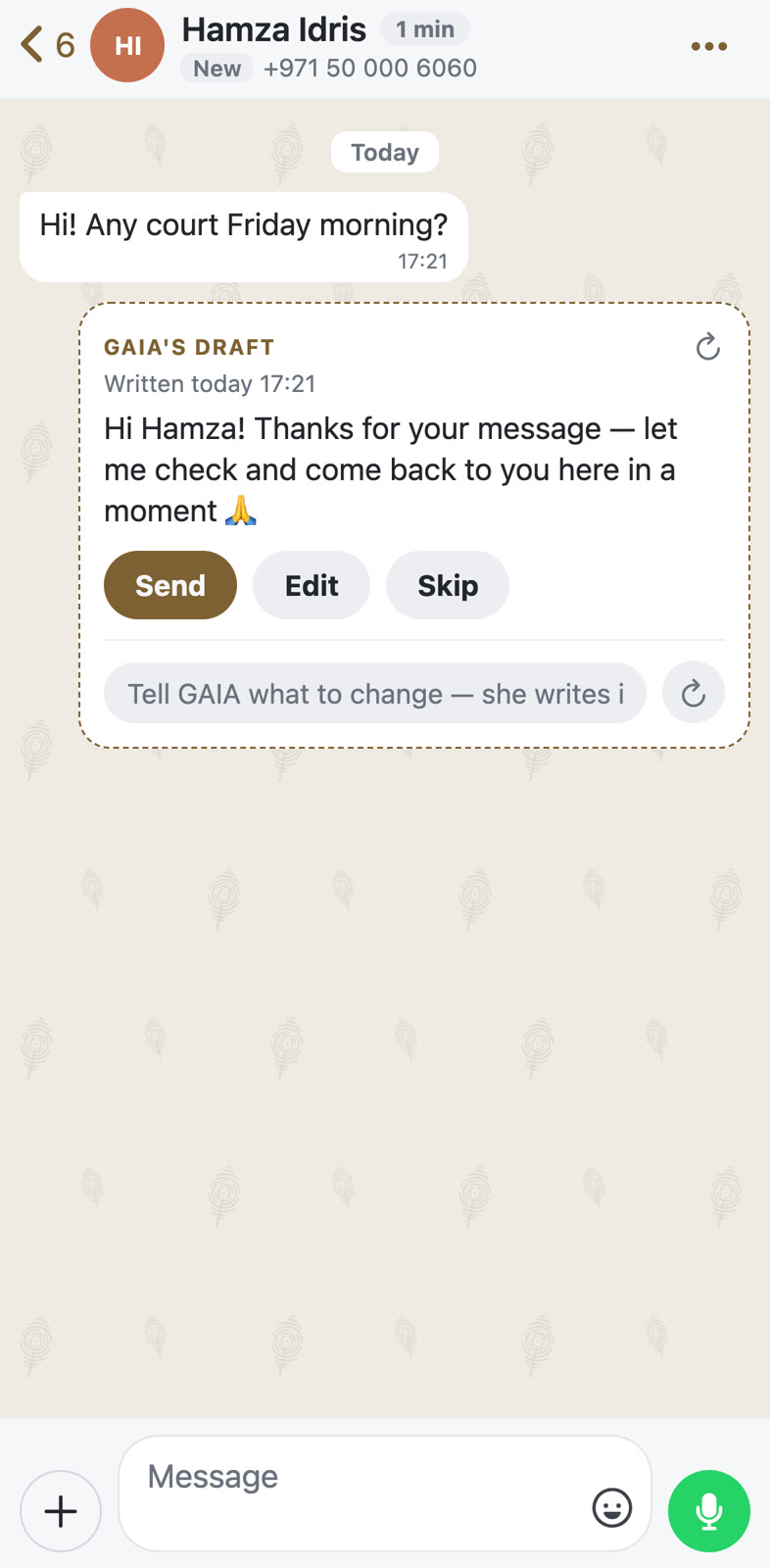
A conversation: a player’s request and GAIA’s draft, with the buttons Send, Edit and Skip.
A reply to approveSend, edit or skip.
The GAIA tab: it announces four drafts ready and offers a reminder.
GAIAIt tells you what is waiting. You ask it for the rest.

Screenshots of the app, with sample data.

Who is waiting

Unread, waiting, to approve.

Three actions

Send, edit, skip.

You talk to GAIA

By text or by voice.

Price, time, promise: always you

Those replies you send yourself.

It learns from you.

Your rules, your way of answering, your students: you tell it once.
  • 1
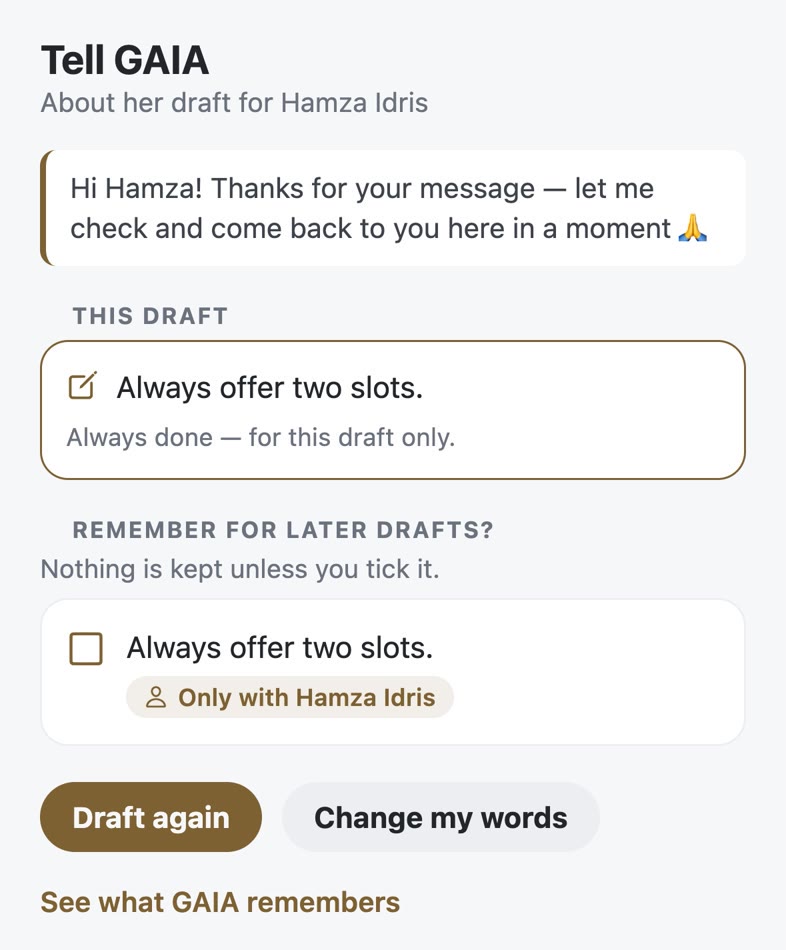
    You correct a draftYou tick “remember”: it takes it into account for the next ones.
  • 2
    A rule for everyone, for one student, for one topicFor example: “For a lesson, ask their level before offering a slot.”
  • 3
    You see everything it remembersOn one page. You add some, you remove some.
The “Tell GAIA” screen: the instruction given on a draft, and the box “Remember for later drafts?”.
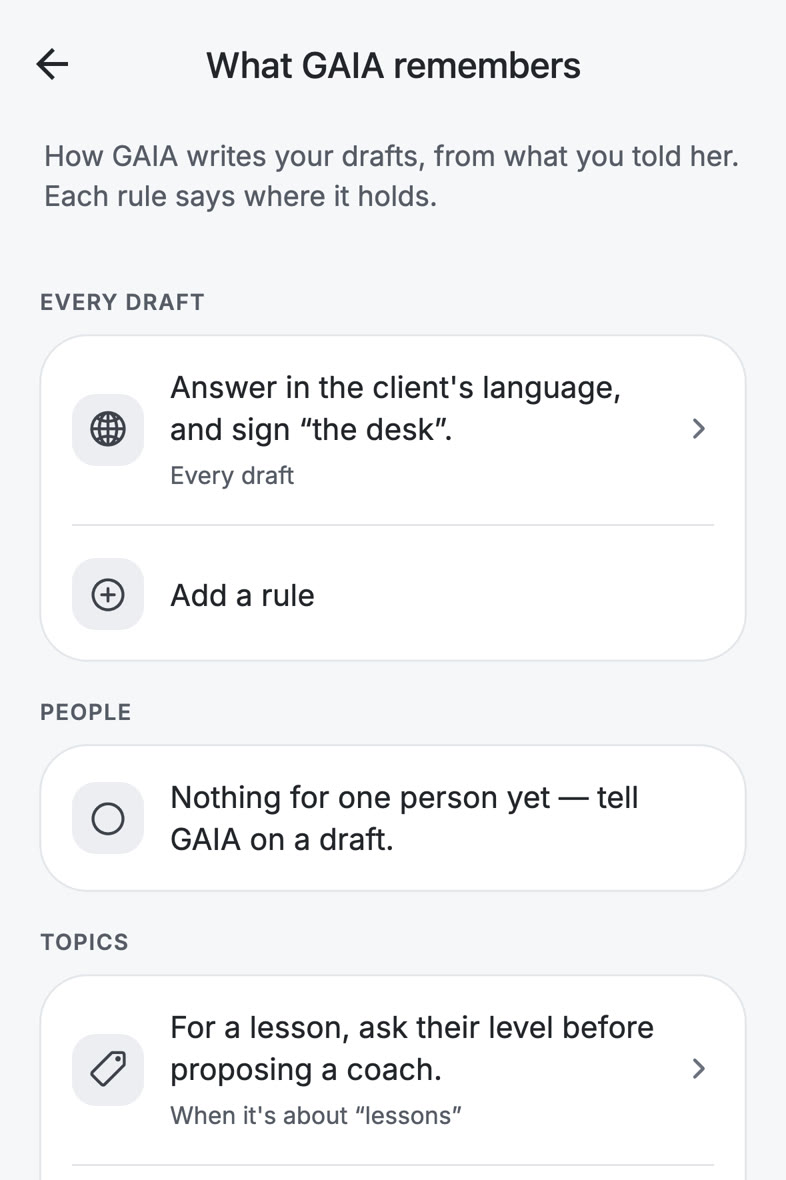
The “What GAIA remembers” page: a rule for every draft, and rules per person and per topic.

Screenshots of the app, with sample data.

Three levels at ORIJINS.

The app is level 2.

Level 1

WhatsApp only

The assistant, right inside WhatsApp. No app needed.

Level 2

The app

GAIA and your WhatsApp, on your phone.

For you
Level 3

The club interface

The whole club on one screen: bookings, coaches, numbers.

For clubs

See the three levels

From your account to your first reply.

In your browser, on a phone or a computer. Nothing to install.

1

Create your account

An email address is all it takes.

2

Connect your WhatsApp

A code or a QR code to scan, as with WhatsApp Web.

3

Approve your first reply

Open a conversation, read the suggested reply, make it yours, send.

Create my account

What it does. And what it does not.

Nothing leaves without you

The assistant writes, you send. No message goes out on its own.

The WhatsApp link is unofficial

The app connects to your account the way WhatsApp Web does. WhatsApp does not permit this and can restrict or block a number that uses it. Read this risk before you connect yours.

It keeps only what you tick

A correction is remembered only if you tick “remember”. Nothing is learned behind your back.

Leaving takes one tap

You disconnect WhatsApp in the settings. Your WhatsApp account stays intact.

What coaches ask.

Do I have to install an app?

No. Everything works in your browser, on Android, iPhone and desktop. An iPhone app also exists, as a test version.

Does the assistant send messages without me?

No. It prepares, you send.

Does it learn my way of answering?

Yes. You give it your rules and keep the corrections you want; it applies them to the next replies. You find everything in “What GAIA remembers”.

Is this an official WhatsApp integration?

No. The connection is of the same kind as WhatsApp Web. WhatsApp can restrict or block a number that uses it.

Do I have to go through my club?

No. The app is yours, on your number.

Do you run a club?The assistant also exists for the whole club, on its number.

See the Clubs page